In today’s digital world, passwords have become both essential and frustrating. We create dozens of them, forget them regularly, and worry constantly about hackers stealing them. If you’ve ever reset your password for the fifth time in a week, you’re not alone. That’s exactly why passkeys are gaining attention. They promise a future where you don’t need to remember complex passwords—and where your accounts are actually more secure. So, what is a passkey? How does it work? And should you start using it? Let’s break it down in a simple, human way.
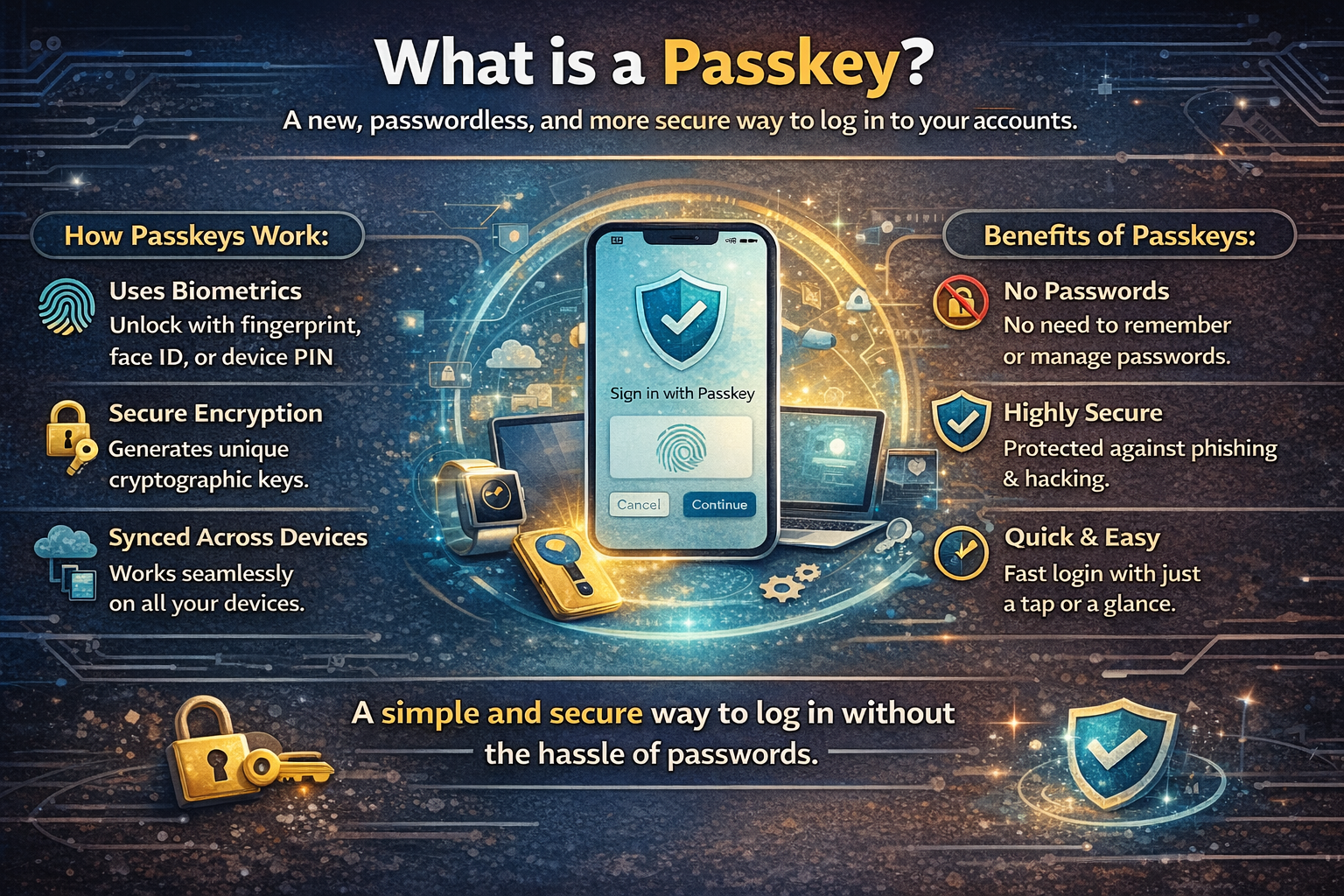
What Is a Passkey?
A passkey is a modern way to log into your accounts without using a traditional password.
Instead of typing a password, you use something you already have—like your fingerprint, face recognition, or device PIN—to sign in. It’s faster, easier, and much safer.
In simple terms:
A passkey replaces your password with secure authentication tied to your device.
So instead of remembering “P@ssw0rd123!”, you just unlock your phone or laptop—and you’re in.
Why Passwords Are Becoming a Problem
Before understanding why passkeys matter, let’s look at why passwords are failing us.
1. People reuse passwords
Most users use the same password across multiple sites. If one site gets hacked, all your accounts are at risk.
2. Passwords are easy to steal
Hackers use phishing emails, fake login pages, and malware to capture passwords.
3. Weak passwords are common
Despite warnings, people still use passwords like “123456” or “password.”
4. Managing passwords is stressful
Keeping track of dozens of passwords is frustrating—even with password managers.
This is where passkeys come in to solve these problems.
How Does a Passkey Work?
Passkeys use a technology called public-key cryptography.
Don’t worry—this sounds complicated, but the idea is simple.
Here’s how it works step by step:
Step 1: You create a passkey
When you sign up or log in to a website, it asks if you want to create a passkey.
Step 2: Two keys are generated
-
A public key is stored on the website’s server
-
A private key is stored securely on your device
Step 3: You authenticate
When logging in, your device uses your fingerprint, face, or PIN to confirm it’s really you.
Step 4: Secure login happens
Your device uses the private key to prove your identity—without sending any sensitive data.
Important:
Your private key never leaves your device. That’s what makes passkeys extremely secure.
What Makes Passkeys More Secure?
Passkeys fix many problems that passwords cannot.
1. No password to steal
Since there is no password, hackers cannot steal it.
2. Phishing-resistant
Even if you visit a fake website, your passkey won’t work there. It only works on the real site.
3. Device-based protection
Your passkey is tied to your device and protected by biometrics or PIN.
4. No database leaks
Even if a company’s server is hacked, attackers only get the public key—which is useless on its own.
Passkeys vs Passwords
Let’s compare them clearly:
| Feature | Passwords | Passkeys |
|---|---|---|
| Need to remember | Yes | No |
| Can be stolen | Yes | No |
| Phishing risk | High | Very low |
| Login speed | Slower | Instant |
| Security level | Medium | High |
In short, passkeys are faster, safer, and easier.
Where Are Passkeys Used Today?
Many big companies are already adopting passkeys.
You can use passkeys on platforms like:
-
Google
-
Apple
-
Microsoft
-
Amazon
These companies are working together under the FIDO Alliance to make passwordless login the new standard.
What Devices Support Passkeys?
Passkeys work on most modern devices, including:
-
Smartphones (Android and iPhone)
-
Laptops and desktops
-
Tablets
They rely on features like:
-
Fingerprint scanners
-
Face recognition
-
Device PIN or lock screen
As long as your device supports these, you can use passkeys.
What Happens If You Lose Your Device?
This is a common concern.
If you lose your phone or laptop, you won’t lose your passkeys completely.
Here’s why:
1. Cloud sync
Passkeys are often synced securely across devices using your account (like Google or Apple ID).
2. Backup devices
You can log in using another trusted device.
3. Account recovery
Services still offer recovery options like email or identity verification.
So while losing a device is inconvenient, it doesn’t lock you out forever.
Are Passkeys the Same as Two-Factor Authentication?
Not exactly.
Two-factor authentication (2FA) adds an extra step after entering your password.
Passkeys, on the other hand:
-
Replace passwords completely
-
Combine security and authentication in one step
However, passkeys can be even safer than traditional 2FA because they remove the weakest link—the password.
Benefits of Using Passkeys
Here are the biggest advantages:
1. No more password headaches
You don’t need to remember anything.
2. Faster login
Just use your fingerprint or face—done in seconds.
3. Stronger security
No phishing, no password leaks.
4. Better user experience
Smooth and stress-free login across devices.
Are There Any Downsides?
While passkeys are powerful, they’re not perfect yet.
1. Not supported everywhere
Some websites still rely on passwords.
2. Device dependency
You need access to a trusted device.
3. Learning curve
New users may need time to understand how it works.
But these issues are temporary as adoption grows.
Should You Start Using Passkeys?
Yes—if the option is available, you should definitely try it.
Passkeys are not just a trend—they are the future of online security.
They:
-
Reduce risk
-
Save time
-
Simplify your digital life
Even cybersecurity experts are recommending passkeys as a safer alternative to passwords.
The Future of Authentication
The goal is simple: eliminate passwords completely.
With companies like Google, Apple, and Microsoft pushing passkeys forward, we’re moving toward a world where:
-
You don’t need to remember login details
-
Cyberattacks become harder
-
Online experiences become smoother
In the near future, passwords may become outdated—just like floppy disks or dial-up internet.
Final Thoughts
Passkeys are a smarter, safer, and simpler way to log in online. Instead of relying on weak, forgettable passwords, passkeys use secure technology tied to your device and identity. This makes them resistant to hacking, phishing, and data breaches. If you’re tired of managing passwords and worrying about security, passkeys are a welcome change. The shift has already begun—and sooner than you think, passwords may be a thing of the past.

