In today’s digital world, almost everything we do leaves a trace online. From signing up for a social media account to ordering food or applying for a job, we constantly share pieces of our personal information. While this makes life more convenient, it also raises an important question: how much of your data is out there, and who can access it?
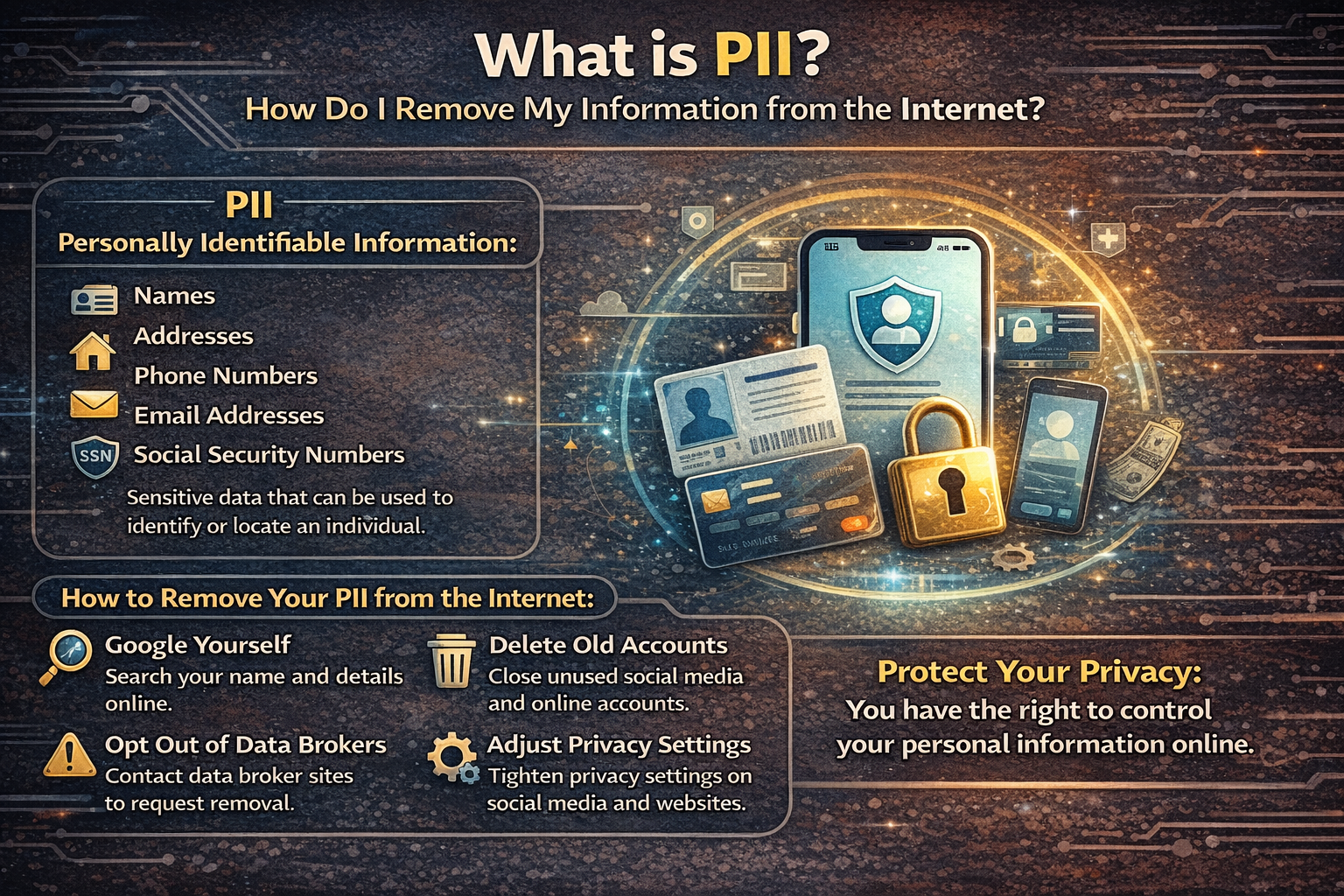
This is where the concept of PII (Personally Identifiable Information) becomes important. Understanding what PII is and how to protect or remove it can make a big difference in keeping your identity and privacy safe.
What is PII (Personally Identifiable Information)?
PII refers to any information that can be used to identify you as an individual. This can be direct information like your name or indirect data that can be combined to recognize who you are.
Common Examples of PII
There are two main categories of PII:
1. Sensitive PII
This type of information can directly harm you if exposed or misused:
-
Aadhaar number
-
Passport number
-
Bank account or credit card details
-
PAN card details
-
Biometric data (fingerprints, facial recognition)
-
Login credentials (usernames and passwords)
2. Non-Sensitive PII
This may seem harmless on its own but can still be risky when combined with other data:
-
Full name
-
Email address
-
Phone number
-
Date of birth
-
IP address
-
Location data
Even something as simple as your email or phone number can be used for scams, phishing attacks, or identity theft if it falls into the wrong hands.
Why is PII Important?
Many people underestimate the value of their personal data. But in reality, your information is highly valuable in the digital economy.
Here’s why protecting PII matters:
1. Identity Theft
Hackers can use your information to open bank accounts, take loans, or impersonate you online.
2. Financial Fraud
If your banking or card details are exposed, you could lose money instantly.
3. Privacy Invasion
Your personal habits, preferences, and behavior can be tracked and sold to advertisers or even misused.
4. Targeted Scams
Scammers use your data to create convincing fake messages or calls.
How Does Your Information End Up Online?
You might be surprised to learn how easily your data spreads across the internet.
Common Sources:
-
Social media platforms
-
Online shopping websites
-
Job portals
-
Mobile apps
-
Public records and government databases
-
Data breaches and hacked websites
-
Data broker websites
Sometimes, you knowingly share your data. Other times, it’s collected without your full awareness.
What Are Data Brokers?
Data brokers are companies that collect, analyze, and sell your personal information. They gather data from multiple sources and create detailed profiles about individuals.
These profiles may include:
-
Your income range
-
Shopping habits
-
Interests
-
Location history
-
Family details
This data is often sold to advertisers, marketers, or even third parties you’ve never interacted with.
Signs Your Personal Information is Exposed
You might already have your PII floating around online if you notice:
-
Frequent spam emails or calls
-
Unknown login attempts on your accounts
-
Personalized scam messages
-
Your details appearing on random websites
-
Data breach alerts from services you use
If any of these happen, it’s time to take action.
How to Remove Your Information from the Internet
Completely erasing your digital footprint is difficult, but you can significantly reduce your exposure by following the steps below.
Step 1: Search Yourself Online
Start by typing your name, email, and phone number into search engines.
What to look for:
-
Old social media profiles
-
Public directories
-
Forums or comments
-
News mentions or blog posts
Make a list of where your data appears.
Step 2: Delete or Deactivate Old Accounts
Unused accounts are one of the biggest risks.
What you should do:
-
Log into old platforms and delete accounts
-
If deletion is not possible, remove personal details
-
Use account deletion tools provided by websites
Even if you don’t use a platform anymore, your data might still be stored there.
Step 3: Adjust Privacy Settings
For accounts you still use:
-
Set profiles to private
-
Limit who can see your posts
-
Hide your phone number and email
-
Turn off location sharing
Most platforms offer detailed privacy controls—use them properly.
Step 4: Contact Website Owners
If your personal data appears on a website:
-
Look for a “Contact Us” or “Privacy Policy” page
-
Request removal of your information
-
Clearly explain what data you want removed
Many websites comply with such requests, especially if it involves personal data.
Step 5: Opt Out of Data Broker Sites
Many data broker websites allow you to request removal.
Steps:
-
Search for your profile on these sites
-
Submit opt-out requests
-
Verify your identity if required
This process can be time-consuming but is very effective.
Step 6: Use Search Engine Removal Requests
If your data shows up in search results:
-
Request removal through search engine tools
-
Provide URLs containing your personal information
-
Explain why it should be removed
This doesn’t delete the data from the website but removes it from search visibility.
Step 7: Remove Personal Data from Google Results
You can specifically request removal of:
-
Phone numbers
-
Email addresses
-
Home addresses
-
Financial details
Once removed, it becomes much harder for others to find your information.
Step 8: Monitor Data Breaches
Your data may be exposed without your knowledge through breaches.
What to do:
-
Check if your email has been compromised
-
Change passwords immediately
-
Enable two-factor authentication
Always assume that leaked data can be misused.
Step 9: Use Strong Security Practices
Prevent future exposure by strengthening your digital habits.
Best practices:
-
Use strong, unique passwords
-
Avoid sharing personal details publicly
-
Be cautious with unknown links or emails
-
Use a password manager
-
Enable 2FA (Two-Factor Authentication)
Step 10: Consider Professional Services
There are services that help remove your data from multiple platforms.
They can:
-
Track where your data appears
-
Submit removal requests
-
Monitor new exposures
While some are paid, they save time and effort.
Can You Completely Remove Your Information?
The honest answer is: not completely.
Once something is online, it can be copied, cached, or stored in multiple places. However, you can:
-
Reduce visibility
-
Limit access
-
Control future exposure
Think of it as minimizing your digital footprint rather than erasing it entirely.
Tips to Keep Your Information Safe Going Forward
After cleaning up your data, it’s important to stay cautious.
Simple habits to follow:
-
Share less information online
-
Avoid public Wi-Fi for sensitive activities
-
Regularly review privacy settings
-
Think before posting anything personal
-
Use secure websites (HTTPS)
Small changes can make a big difference over time.
The Human Side of Digital Privacy
It’s easy to think of data as just numbers or information, but behind every piece of PII is a real person. Your identity, your experiences, your habits—these are deeply personal. In many cases, people only realize the importance of privacy after something goes wrong, like a hacked account or a scam call. But taking control early can save you from stress, financial loss, and emotional impact later. Protecting your information is not about being paranoid—it’s about being aware.
Final Thoughts
PII is a crucial part of your digital identity. While the internet offers convenience and connection, it also comes with risks. The more you understand how your data is collected and used, the better you can protect yourself. Removing your information from the internet takes effort, patience, and consistency. But every step you take makes you safer and gives you more control over your online presence. Start small—search your name, clean up old accounts, adjust privacy settings—and build from there. Over time, you’ll create a safer and more secure digital life.

