A home network is no longer just a way to connect laptops and smartphones to the internet. Today, it powers smart TVs, security cameras, gaming consoles, voice assistants, printers, streaming devices, and dozens of other connected gadgets. Many people also work remotely, making their home network an extension of their workplace.
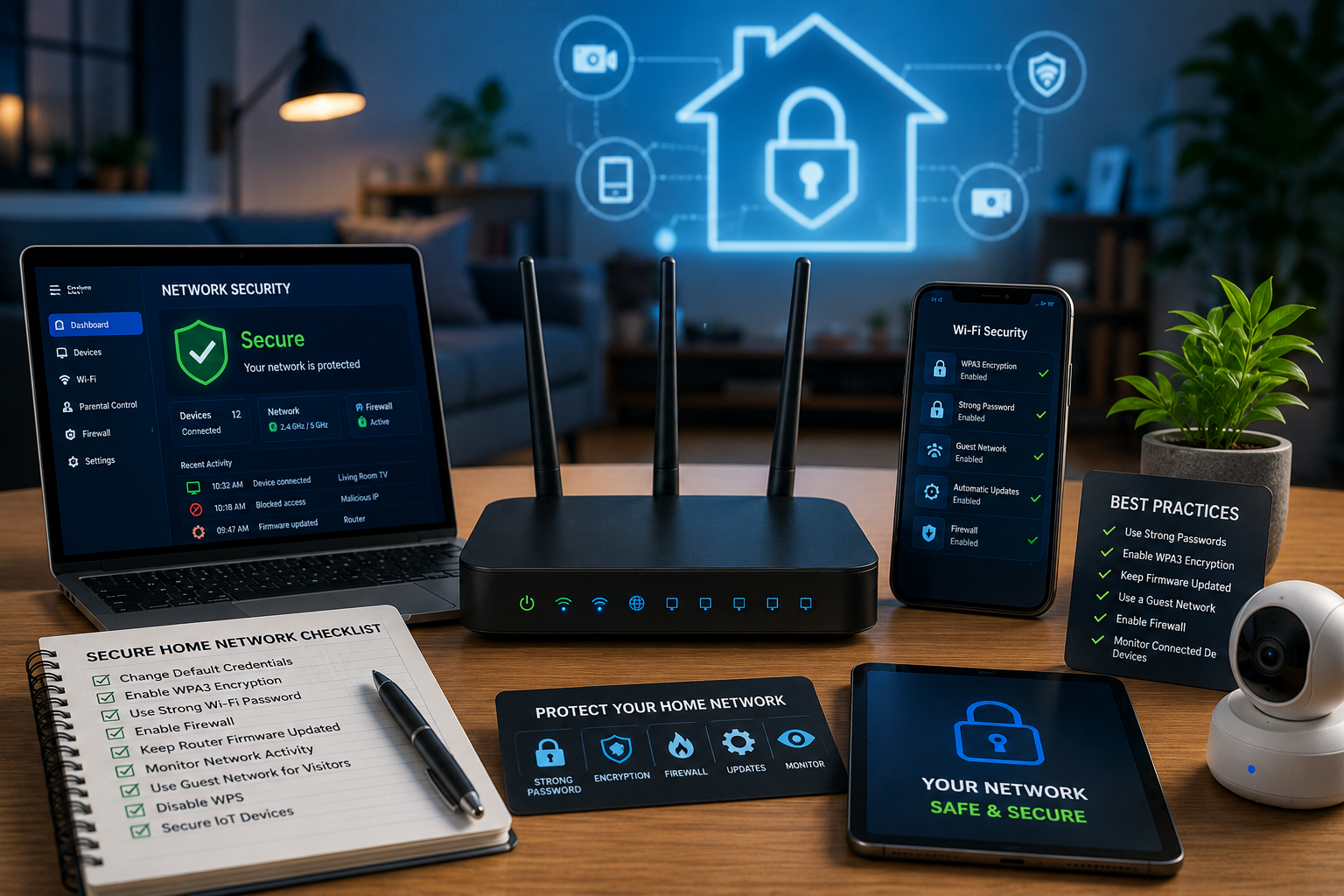
As the number of connected devices grows, so does the risk of cyberattacks. Hackers are constantly looking for vulnerable home networks that can be used to steal personal information, install malware, spy on users, or even launch attacks against other systems. Unfortunately, many people still rely on default router settings or outdated security practices, making their networks easier to compromise.
The good news is that building a secure home network does not require expensive hardware or advanced technical knowledge. By following a series of practical cybersecurity best practices, you can significantly reduce the risk of cyber threats and better protect your family, devices, and personal data.
This guide explains everything you need to know about creating a safer home network in 2026.
Why Home Network Security Matters
Cybercriminals no longer focus only on large corporations. Home users have become valuable targets because they often store sensitive information such as banking details, personal documents, passwords, and work-related files.
A compromised home network can lead to:
- Identity theft
- Financial fraud
- Stolen passwords
- Ransomware infections
- Privacy violations
- Unauthorized access to smart devices
- Data loss
If you work from home, an insecure network could also expose your employer’s systems to unnecessary risks.
Protecting your home network is an important step toward safeguarding your digital life.
Start With a Secure Router
Your router is the gateway between your devices and the internet. If it is not properly secured, every connected device becomes more vulnerable.
When setting up a router:
- Change the default administrator username and password.
- Create a long, unique administrator password.
- Disable remote administration if you do not need it.
- Update the router’s firmware to the latest version.
- Restart the router periodically after important updates.
Many cyberattacks succeed because users never change the factory settings that come with their routers.
Choose Strong Wi-Fi Security
Wireless security is one of the most important parts of protecting a home network.
Always use the strongest encryption available on your router. Modern routers typically support WPA3, while older devices may use WPA2.
Avoid outdated security protocols such as WEP because they can be broken with readily available tools.
Your Wi-Fi password should:
- Be at least 16 characters long
- Include uppercase and lowercase letters
- Contain numbers and symbols
- Avoid dictionary words
- Be different from your other passwords
A strong Wi-Fi password makes unauthorized access much more difficult.
Keep Router Firmware Updated
Like computers and smartphones, routers receive security updates that fix newly discovered vulnerabilities.
Unfortunately, many people never update their router firmware.
Regular updates help protect against:
- Newly discovered exploits
- Remote attacks
- Unauthorized access
- Software bugs
- Performance issues
Some modern routers can install firmware updates automatically, making maintenance much easier.
Change the Default Network Name
Most routers come with default Wi-Fi network names that reveal the manufacturer or model.
Although this may seem harmless, it can provide attackers with useful information about your equipment.
Changing your network name to something unique makes it slightly harder for attackers to identify your router.
Avoid using personal information such as your family name, home address, or apartment number in your Wi-Fi network name.
Create a Guest Network
Visitors often request access to your Wi-Fi network.
Instead of sharing your primary network password, create a separate guest network.
A guest network helps isolate visitor devices from your:
- Computers
- Smart home devices
- Network storage
- Security cameras
- Work equipment
This reduces the risk that an infected guest device could affect your primary network.
Enable Multi-Factor Authentication
Many online accounts connected to your home network contain valuable personal information.
Whenever available, enable multi-factor authentication for:
- Email accounts
- Cloud storage
- Banking services
- Social media
- Password managers
- Shopping accounts
Even if attackers steal your password, they will face an additional security barrier before gaining access.
Use Strong and Unique Passwords
Reusing passwords across multiple accounts remains one of the biggest cybersecurity mistakes.
If one website experiences a data breach, attackers often test the same password on other services.
Instead:
- Create unique passwords for every account.
- Use long passphrases whenever possible.
- Consider using a reputable password manager to generate and store strong passwords securely.
Strong password habits significantly improve overall cybersecurity.
Secure Every Connected Device
Modern homes often contain dozens of internet-connected devices.
These include:
- Smart TVs
- Streaming devices
- Security cameras
- Smart speakers
- Gaming consoles
- Smart thermostats
- Video doorbells
- Baby monitors
Each connected device represents another potential entry point for attackers.
Always:
- Install firmware updates.
- Change default passwords.
- Disable unused features.
- Remove devices you no longer use.
Keeping every device secure strengthens the entire network.
Protect Your Computers
Computers continue to be one of the most common targets for cybercriminals.
Every computer connected to your network should have:
- Automatic operating system updates
- Modern antivirus or endpoint protection
- Firewall enabled
- Secure web browser
- Encrypted storage when available
Regular maintenance greatly reduces the likelihood of successful malware infections.
Keep Smartphones and Tablets Updated
Mobile devices often contain just as much personal information as computers.
Security updates should never be delayed.
Enable automatic updates for:
- Operating systems
- Mobile applications
- Security software
Only download applications from trusted app stores and review requested permissions carefully before installing new apps.
Beware of Phishing Attacks
Many cyberattacks begin with phishing emails or fake websites rather than direct attacks on your network.
Cybercriminals may attempt to trick you into:
- Revealing passwords
- Downloading malware
- Sharing financial information
- Installing fake software
- Clicking malicious links
Always verify unexpected emails, especially those requesting urgent action or sensitive information.
When in doubt, visit the organization’s website directly instead of clicking links within emails.
Use a Firewall
A firewall monitors incoming and outgoing network traffic.
Most home routers include built-in firewall protection, while computers also have software firewalls.
Ensure both remain enabled unless you have a specific reason to disable them.
Firewalls help block many unauthorized connection attempts before they reach your devices.
Secure Remote Work
If you work from home, your network becomes part of your organization’s security environment.
Protect remote work by:
- Using company-approved VPNs when required.
- Keeping work and personal devices separate.
- Locking your computer when away.
- Updating work software regularly.
- Following your employer’s cybersecurity policies.
Remote workers should treat home network security as seriously as office security.
Back Up Important Data
No security system is perfect.
Hardware failures, ransomware, accidental deletion, or theft can result in data loss.
Maintain regular backups of important files, including:
- Family photos
- Personal documents
- Financial records
- School projects
- Business files
A good backup strategy includes multiple copies stored in different locations.
Test your backups occasionally to ensure they can be restored successfully.
Monitor Your Network
Many modern routers provide basic tools for monitoring connected devices.
Review your network occasionally to ensure every connected device is recognized.
Unknown devices could indicate:
- Unauthorized access
- Forgotten equipment
- Misconfigured devices
If you notice unfamiliar devices, change your Wi-Fi password and investigate immediately.
Secure Smart Home Devices
Smart home technology continues to grow rapidly.
Unfortunately, some inexpensive devices receive limited security updates.
Before purchasing smart devices:
- Research the manufacturer’s security reputation.
- Confirm regular firmware updates are available.
- Change default login credentials immediately.
- Disable unnecessary cloud services if you do not use them.
Quality devices with long-term software support generally provide better security.
Use Secure DNS Services
Many people continue using the default DNS service provided by their internet service provider.
Alternative secure DNS providers may offer additional protection by blocking known malicious websites, phishing domains, and malware distribution servers.
Using a trusted secure DNS service can add another layer of protection while browsing the internet.
Avoid Public Wi-Fi Without Protection
Even with a secure home network, many people connect to public Wi-Fi while traveling.
Public wireless networks are often less secure than home networks.
If you must use public Wi-Fi:
- Avoid accessing banking websites.
- Do not transmit sensitive information unless necessary.
- Use a trusted VPN if appropriate.
- Disable automatic Wi-Fi connections.
- Turn off file sharing.
Practicing safe habits outside your home network is equally important.
Teach Family Members About Cybersecurity
Technology alone cannot protect a household.
Everyone who uses the home network should understand basic cybersecurity practices.
Teach family members to:
- Create strong passwords.
- Recognize phishing attempts.
- Avoid downloading unknown software.
- Report suspicious activity.
- Update their devices regularly.
Children should also understand the importance of online privacy and safe internet habits.
Common Home Network Security Mistakes
Many successful cyberattacks result from simple oversights.
Common mistakes include:
- Keeping default router passwords
- Ignoring firmware updates
- Reusing passwords
- Connecting unknown devices
- Using outdated Wi-Fi encryption
- Disabling firewalls
- Installing software from untrusted websites
- Leaving unused devices connected
Avoiding these mistakes significantly improves network security.
Looking Ahead
As homes become more connected, cybersecurity will continue to play a larger role in everyday life. Artificial intelligence, smart appliances, connected vehicles, and Internet of Things devices will introduce new conveniences, but they will also expand the potential attack surface.
Future home security solutions are expected to rely more on AI-powered threat detection, automated firmware updates, and smarter network monitoring. Even so, strong passwords, regular updates, secure Wi-Fi settings, and informed users will remain the foundation of a secure home network.
Conclusion
Creating a secure home network is one of the most effective ways to protect your personal information, connected devices, and online activities. While cyber threats continue to evolve in 2026, most successful attacks still exploit preventable weaknesses such as weak passwords, outdated software, poor Wi-Fi security, and unpatched devices.
By securing your router, using strong encryption, enabling multi-factor authentication, updating firmware, protecting every connected device, monitoring your network, and educating everyone in your household about cybersecurity, you can significantly reduce your exposure to online threats.
Cybersecurity begins at home. A few simple precautions taken today can help prevent costly security incidents and provide greater peace of mind for years to come.

