Cloud computing has become the foundation of modern business. Organizations of all sizes now rely on cloud services to store data, host applications, manage customer information, and support remote teams. The flexibility, scalability, and cost savings offered by cloud platforms have made them an essential part of digital transformation.
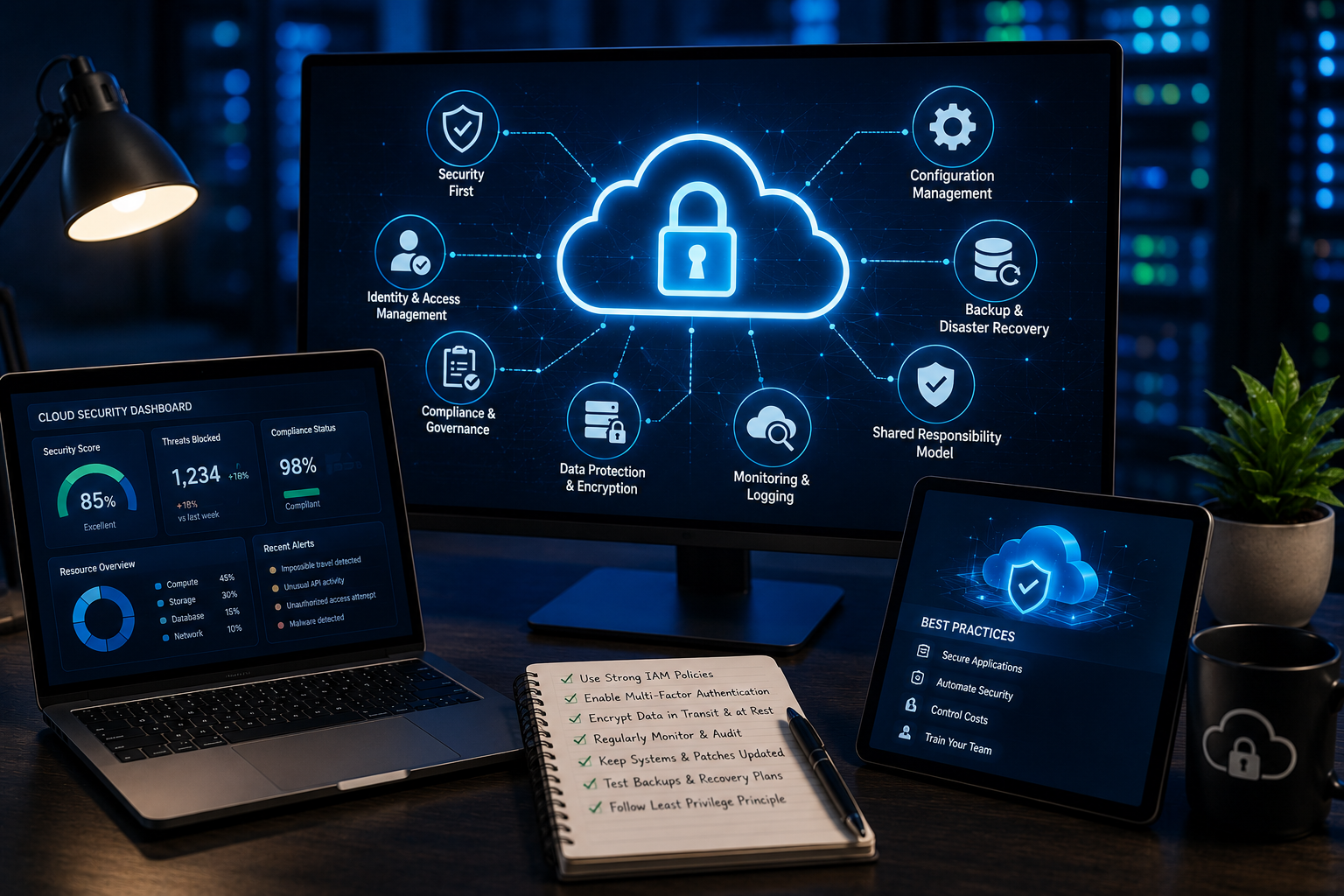
However, moving to the cloud does not automatically make an organization secure. While cloud providers invest heavily in protecting their infrastructure, businesses are still responsible for securing their own data, user accounts, applications, and configurations. Many of the largest cloud security incidents are caused by simple mistakes such as weak passwords, excessive user permissions, exposed storage, or misconfigured services.
As cyber threats continue to evolve in 2026, organizations must adopt strong cloud security practices to protect sensitive information and maintain customer trust. In this article, we will explore the most important cloud security best practices every organization should follow.
Understand the Shared Responsibility Model
One of the first steps in cloud security is understanding the shared responsibility model.
Cloud providers are generally responsible for securing the infrastructure that runs their services, including physical data centers, networking equipment, and hardware. Organizations, on the other hand, are responsible for protecting the data they store, managing user access, configuring cloud services correctly, and securing the applications they deploy.
Many businesses mistakenly assume the cloud provider handles every aspect of security. Understanding where your responsibilities begin and end helps prevent costly security gaps.
Enable Multi-Factor Authentication
Passwords alone are no longer enough to protect cloud accounts.
Cybercriminals regularly steal login credentials through phishing attacks, password reuse, and data breaches. Even a strong password can be compromised if an employee unknowingly shares it with an attacker.
Multi-factor authentication (MFA) adds an extra layer of security by requiring users to verify their identity through another method, such as an authentication app or hardware security key.
Every administrative account and user with access to sensitive cloud resources should have MFA enabled.
Apply the Principle of Least Privilege
One of the most effective ways to improve cloud security is by limiting user permissions.
Employees should only have access to the systems and information required for their specific job responsibilities.
Granting unnecessary administrative privileges increases the damage an attacker can cause if an account becomes compromised.
Organizations should regularly review user roles and remove permissions that are no longer needed.
Role-based access control helps simplify permission management while reducing security risks.
Protect Cloud Storage
Cloud storage services are frequently targeted because they often contain valuable customer information, financial records, and confidential business documents.
Security teams should ensure that storage resources are never publicly accessible unless absolutely necessary.
Important storage security practices include:
- Encrypt sensitive files
- Restrict public access
- Monitor file activity
- Apply access policies
- Enable version history
- Review permissions regularly
Even a single exposed storage bucket can result in a serious data breach.
Encrypt Data at Rest and in Transit
Encryption is one of the strongest defenses against unauthorized access.
Data stored in cloud environments should be encrypted while it is saved on servers and while it is being transmitted across networks.
If attackers manage to intercept encrypted information, the data remains unreadable without the appropriate encryption keys.
Organizations should also manage encryption keys securely and limit access to authorized personnel only.
Monitor Cloud Activity Continuously
Cloud environments change constantly as users create resources, deploy applications, and modify configurations.
Continuous monitoring allows security teams to detect suspicious behavior before it becomes a major incident.
Organizations should monitor for:
- Unusual login attempts
- Unauthorized configuration changes
- Large data transfers
- Privilege escalation
- Failed authentication attempts
- Suspicious application activity
Real-time monitoring significantly improves incident detection and response.
Keep Software Updated
Many successful cyberattacks exploit outdated software.
Organizations should regularly update:
- Operating systems
- Cloud-hosted applications
- Virtual machines
- Containers
- Databases
- Security tools
Applying security patches promptly reduces the chances of attackers exploiting known vulnerabilities.
Whenever possible, automated patch management should be enabled.
Secure APIs
Application Programming Interfaces (APIs) allow cloud applications to communicate with one another.
Poorly secured APIs can expose sensitive information or provide attackers with unauthorized access.
Organizations should:
- Require strong authentication
- Validate all user input
- Limit API permissions
- Encrypt API communications
- Monitor API activity
- Apply rate limiting
Regular API security testing helps identify weaknesses before attackers discover them.
Strengthen Identity and Access Management
Identity and Access Management (IAM) plays a central role in cloud security.
Organizations should create clear policies that define who can access specific resources and under what conditions.
Good IAM practices include:
- Strong password policies
- Multi-factor authentication
- Role-based permissions
- Regular access reviews
- Immediate removal of inactive accounts
- Logging administrative actions
Proper identity management significantly reduces the risk of unauthorized access.
Protect Against Insider Threats
Not every cloud security incident involves external hackers.
Employees, contractors, and business partners may accidentally expose confidential information or misuse cloud resources.
Organizations can reduce insider risks by:
- Monitoring user activity
- Limiting administrative privileges
- Reviewing access logs
- Providing regular security training
- Removing access immediately when employees leave
Visibility into user behavior helps identify unusual activity before it causes damage.
Back Up Critical Data
Cloud services are reliable, but accidental deletion, ransomware, or malicious activity can still result in data loss.
Organizations should maintain secure backups of critical information and regularly test recovery procedures.
Effective backup strategies include:
- Automated backups
- Multiple backup locations
- Offline backup copies
- Recovery testing
- Backup encryption
Reliable backups reduce downtime and improve business continuity after a cyber incident.
Secure Remote Access
Remote work remains common across many industries.
Employees often access cloud resources from home networks, hotels, airports, or public internet connections.
Organizations should improve remote access security by:
- Using secure VPN connections
- Enforcing multi-factor authentication
- Protecting employee devices
- Monitoring remote login activity
- Restricting access from high-risk locations
Securing remote users has become an essential part of cloud security.
Monitor for Misconfigurations
Cloud misconfigurations remain one of the leading causes of data exposure.
Examples include:
- Public storage buckets
- Unrestricted firewall rules
- Weak access controls
- Disabled logging
- Open management ports
- Excessive administrator permissions
Regular security audits and automated configuration checks help identify these issues before attackers can exploit them.
Develop an Incident Response Plan
Even well-protected organizations should prepare for potential security incidents.
A cloud incident response plan should clearly define:
- Detection procedures
- Reporting processes
- Roles and responsibilities
- Containment strategies
- Recovery steps
- Communication guidelines
Testing the response plan through regular exercises ensures employees understand how to respond during an actual attack.
Train Employees Regularly
Technology alone cannot prevent every security incident.
Employees remain one of the most important parts of cloud security.
Regular cybersecurity training should cover:
- Phishing awareness
- Password security
- Safe file sharing
- Data handling procedures
- Cloud security policies
- Reporting suspicious activity
Well-trained employees help reduce the likelihood of accidental security breaches.
Use Artificial Intelligence for Threat Detection
Artificial intelligence has become a valuable addition to cloud security.
AI-powered security systems analyze massive amounts of cloud activity and quickly identify unusual behavior that may indicate an attack.
AI can help detect:
- Suspicious login attempts
- Abnormal data transfers
- Unauthorized privilege changes
- Malware activity
- Insider threats
- Compromised user accounts
Although AI improves detection speed, human oversight remains important for investigating complex incidents.
Perform Regular Security Assessments
Cloud security should never be treated as a one-time project.
Organizations should regularly conduct:
- Vulnerability assessments
- Penetration testing
- Configuration reviews
- Compliance audits
- Risk assessments
Frequent evaluations help identify new weaknesses as cloud environments continue to evolve.
Follow Compliance Requirements
Many industries must comply with regulations related to data protection and cybersecurity.
Organizations should understand the legal requirements that apply to their business and ensure cloud services are configured to support those standards.
Maintaining proper documentation, access controls, encryption, and audit logs helps simplify compliance efforts while improving overall security.
Common Cloud Security Mistakes to Avoid
Many cloud security incidents occur because of preventable mistakes.
Some of the most common include:
- Using weak passwords
- Ignoring software updates
- Granting excessive permissions
- Exposing storage publicly
- Failing to monitor cloud activity
- Not enabling multi-factor authentication
- Skipping backup testing
- Overlooking third-party integrations
Avoiding these mistakes significantly reduces cybersecurity risks.
Looking Ahead
Cloud technology will continue to evolve as organizations adopt artificial intelligence, automation, serverless computing, and multi-cloud environments. While these innovations improve efficiency, they also introduce new security challenges.
Future cloud security strategies will increasingly rely on automated monitoring, zero trust principles, AI-powered threat detection, and continuous risk assessments. Businesses that invest in modern security practices today will be better prepared to handle tomorrow’s evolving threats.
Conclusion
Cloud computing offers tremendous advantages, but it also requires organizations to take an active role in protecting their digital assets. Security is not achieved through technology alone. It depends on strong policies, continuous monitoring, employee awareness, proper access management, and regular security reviews.
By following cloud security best practices such as enabling multi-factor authentication, limiting user permissions, encrypting sensitive data, monitoring cloud environments, securing APIs, maintaining backups, and preparing for security incidents, organizations can greatly reduce the risk of cyberattacks.
As cyber threats continue to evolve in 2026, businesses that treat cloud security as an ongoing priority rather than a one-time task will be better positioned to protect their data, maintain customer trust, and support long-term business growth.

