In today’s digital world, our personal information is more valuable than ever. From social media accounts to banking details, almost every part of our lives is connected to the internet. While this brings convenience, it also creates opportunities for cybercriminals. One of the most dangerous threats in this space is something called an infostealer.
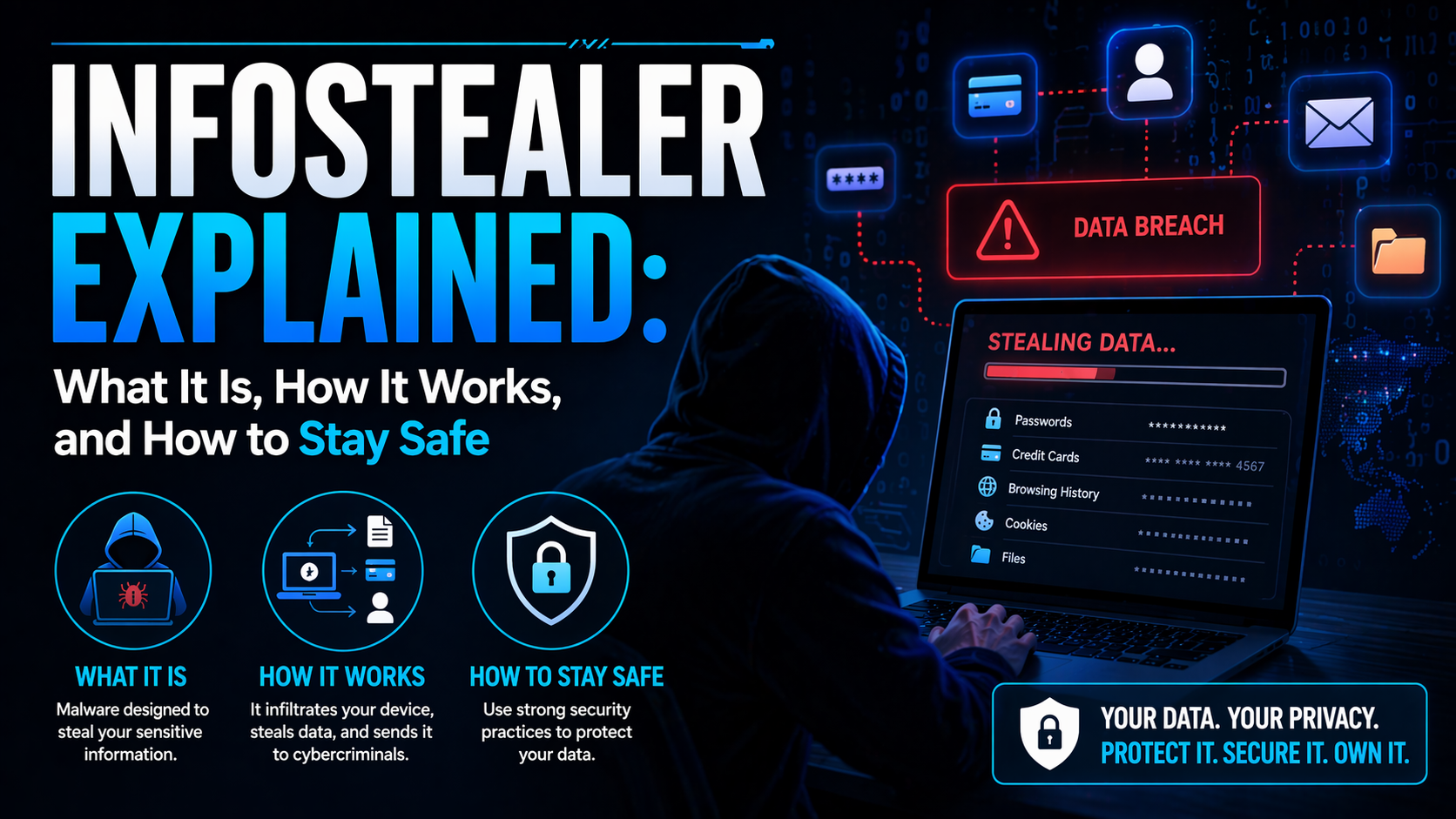
If you have never heard of it before, you are not alone. Infostealers often work silently in the background, stealing sensitive data without giving any clear warning signs. By the time you realize something is wrong, your information may already be in the wrong hands. This article explains what an infostealer is, how it works, how it spreads, and most importantly, how you can protect yourself from it.
What Is an Infostealer
An infostealer, short for information stealer, is a type of malware designed to collect sensitive data from a victim’s device. This data can include usernames, passwords, credit card details, browser history, cookies, cryptocurrency wallets, and even files stored on the system. Unlike ransomware, which makes its presence obvious by locking your files, an infostealer is designed to remain hidden. Its main goal is to quietly gather as much information as possible and send it back to the attacker.
Infostealers are widely used by cybercriminals because they are easy to deploy and highly profitable. Stolen data can be sold on dark web marketplaces or used directly for fraud, identity theft, or further cyberattacks.
How Infostealers Work
Infostealers follow a simple but effective process. First, they infect a device. Then they collect data. Finally, they send that data back to the attacker. Once installed, the malware scans the system for valuable information. It targets web browsers to extract saved passwords, cookies, and autofill data. Many people store login credentials in their browsers, which makes them an easy target.
Some infostealers go even further. They can capture keystrokes, take screenshots, or monitor clipboard activity. This means even if you do not save your passwords, the malware can still capture them when you type. After collecting the data, the infostealer sends it to a command server controlled by the attacker. This process usually happens in the background, without the user noticing anything unusual.
Common Types of Data Stolen
Infostealers are designed to collect a wide range of data. One of the most common targets is login credentials. This includes usernames and passwords for email accounts, social media platforms, and online services. Financial information is another major target. Credit card details, banking credentials, and payment data can be used for direct theft or sold to other criminals.
Browser data is also highly valuable. Cookies, for example, can sometimes allow attackers to access accounts without needing a password. This is known as session hijacking. Cryptocurrency wallets are another common target. If an attacker gains access to a wallet, the funds can be transferred instantly and are often impossible to recover. In some cases, infostealers also collect personal files, documents, and even system information, which can be used for identity theft or targeted attacks.
How Infostealers Spread
Infostealers use multiple methods to infect devices. One of the most common methods is phishing. This involves tricking users into clicking on a malicious link or downloading an infected attachment. For example, you might receive an email that looks like it is from a trusted company. It may ask you to open a file or click a link. Once you do, the malware is downloaded onto your device.
Another common method is fake software downloads. Cybercriminals create websites that offer free versions of popular software, games, or tools. When users download and install these programs, they unknowingly install an infostealer as well. Malicious ads, also known as malvertising, are another distribution method. These ads can appear on legitimate websites and redirect users to harmful pages. Infostealers can also spread through cracked software, torrents, and pirated content. These sources are often filled with hidden malware.
Signs Your Device May Be Infected
Infostealers are designed to be stealthy, so they often do not show obvious signs. However, there are some warning signs you should watch for. Your device may suddenly become slower than usual. You might notice unusual background activity or increased data usage. Unexpected login alerts are another red flag. If you receive notifications about logins from unknown locations, it could mean your credentials have been stolen. You may also notice unauthorized transactions or changes to your accounts. This is often one of the first signs that something is wrong. In some cases, antivirus software may detect suspicious activity, but many advanced infostealers are designed to bypass basic security tools.
Why Infostealers Are So Dangerous
Infostealers are particularly dangerous because they can lead to multiple types of attacks. Once your data is stolen, it can be used in many different ways. For example, stolen credentials can be used for account takeovers. If you use the same password across multiple sites, attackers can gain access to several accounts at once.
Financial data can be used for fraud, leading to direct monetary loss. Personal information can be used for identity theft, which can have long-term consequences. Another major risk is that stolen data can be used in further attacks. For instance, attackers may use your email account to send phishing messages to your contacts. Because infostealers operate quietly, victims often do not realize what has happened until it is too late.
How to Protect Yourself from Infostealers
Protecting yourself from infostealers requires a combination of awareness and good security practices. Start by being cautious with emails and links. Do not click on suspicious messages or download attachments from unknown sources. Always verify the sender before taking any action. Only download software from official and trusted websites. Avoid pirated or cracked software, as these are common sources of malware.
Use strong and unique passwords for each account. This reduces the risk of multiple accounts being compromised if one password is stolen. Enable two-factor authentication wherever possible. This adds an extra layer of security, making it harder for attackers to access your accounts. Keep your system and software updated. Security updates often fix vulnerabilities that malware can exploit. Using a reliable antivirus or security solution can also help detect and remove threats before they cause damage.
What to Do If You Are Infected
If you suspect your device is infected with an infostealer, you should act quickly. First, disconnect your device from the internet. This can prevent the malware from sending more data to the attacker. Run a full system scan using a trusted security tool. Remove any detected threats. Next, change all your passwords, starting with your most important accounts such as email and banking. Make sure to do this from a clean device. Enable two-factor authentication on your accounts if you have not already done so. Monitor your financial accounts for any suspicious activity. If you notice anything unusual, contact your bank immediately. In some cases, it may be necessary to reinstall your operating system to ensure the malware is completely removed.
The Growing Threat of Infostealers
Infostealers are becoming more advanced and more common. Cybercriminals are constantly developing new techniques to avoid detection and improve their success rates. Some infostealers are now sold as a service, making it easier for even inexperienced attackers to use them. This has led to a significant increase in their use. The rise of remote work and online services has also created more opportunities for these attacks. With more people storing sensitive data online, the potential rewards for attackers are higher than ever. As technology continues to evolve, so will the methods used by cybercriminals. Staying informed and vigilant is the best way to protect yourself.
Conclusion
Infostealers may not be as well known as other types of malware, but they are one of the most serious threats in the digital world. Their ability to silently steal sensitive data makes them especially dangerous. Understanding how they work is the first step in protecting yourself. By being cautious online, using strong security practices, and staying aware of potential threats, you can reduce your risk significantly. In a world where data is power, protecting your information is more important than ever. Taking simple precautions today can save you from major problems in the future.

